Save from Instagram
Captions, carousel slides, reels or screenshots. If it can't read a setting, it tells you which one to check.
Coming soon to iPhone
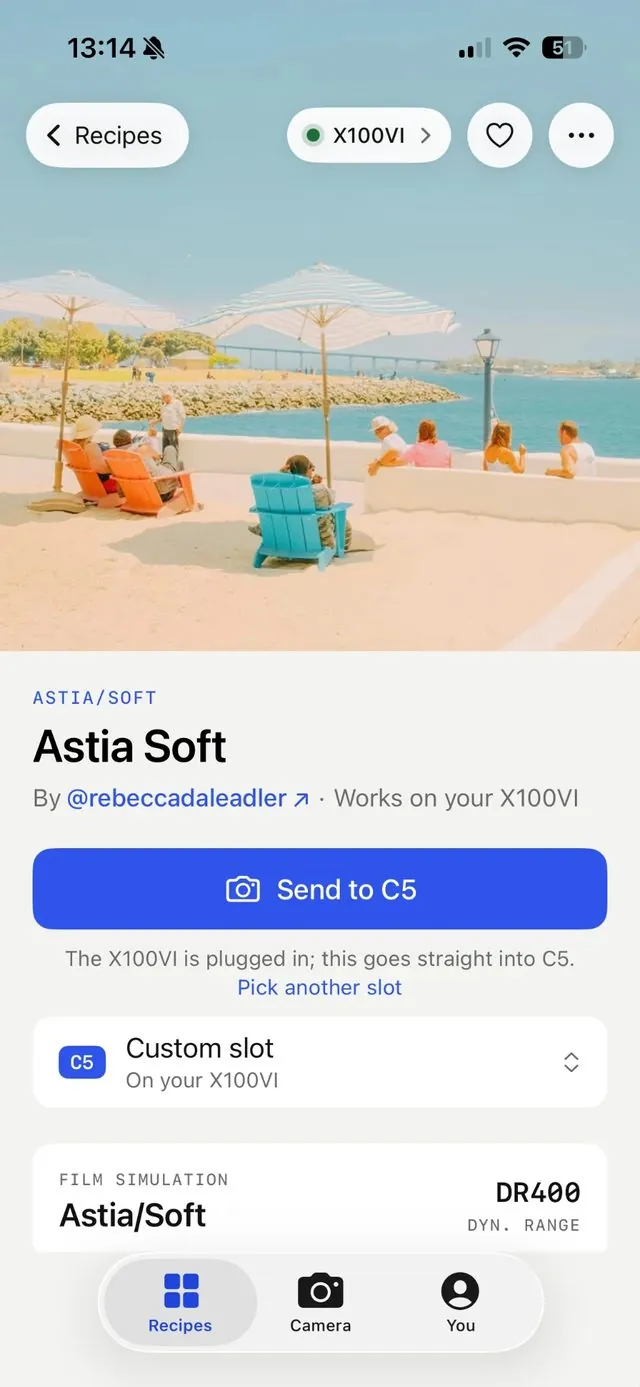
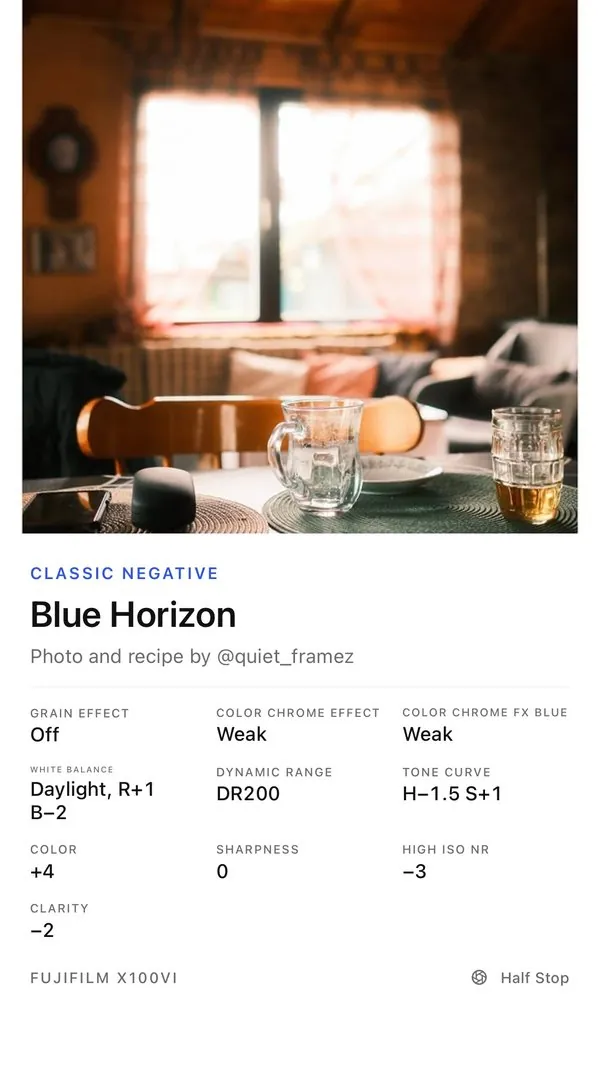
Share an Instagram post. Half Stop extracts the settings, saves the recipe, and sends it to your camera. No more dialing in settings by hand.
You're on the list. We'll email you when it's out.
Free to download. One email when it's out, with a lower founder price for people on the list. That's all.
How it works
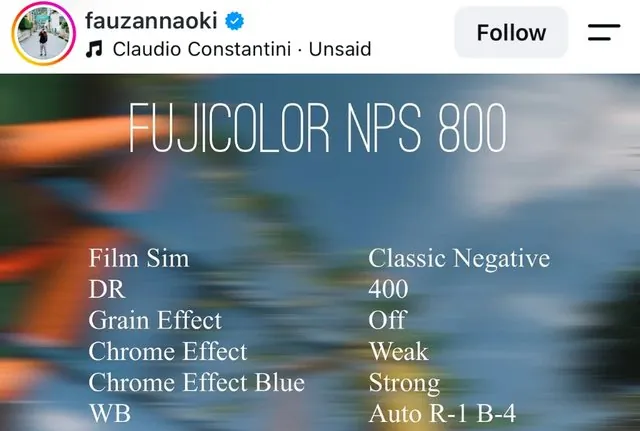
Spot a recipe on Instagram, in the caption or on one of the slides.
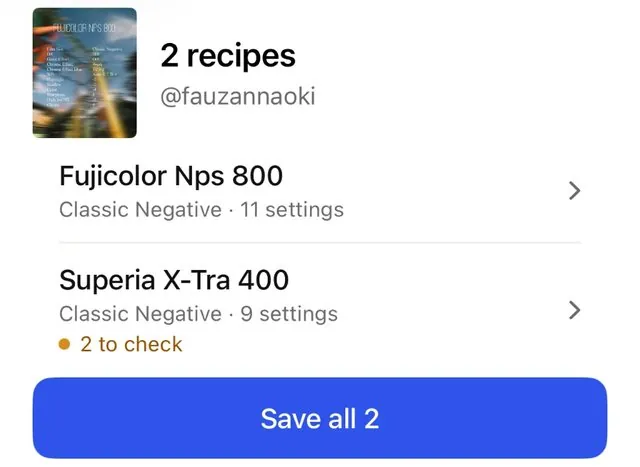
Tap Share, then Half Stop. It finds the recipe, or every recipe if the post has a few, and saves it with a link back to the creator.
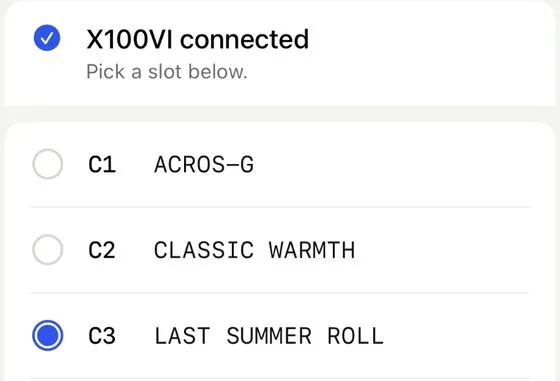
Plug in your camera, pick a slot and send. Half Stop reads every setting back afterwards, so you know it went in.
What's inside
Captions, carousel slides, reels or screenshots. If it can't read a setting, it tells you which one to check.
Pick C1–C7 and send. The slot gets the recipe's name, so you can find it on the camera.
Sent it to the wrong slot? Put back what was there before.
See what's in each slot, and back up your custom settings before you change anything.
No cable, or an older body? Get a checklist in the same order as your camera's menu.
Every recipe keeps the creator's name and a link back to their post.
Collections · Favourites · Search by film · Shooting tips · Share cards · Works offline · iCloud sync · No account, no tracking
Cameras
Got an older body? You can still save recipes and set them up by hand.
For creators
Recipes take hours of shooting to get right. Half Stop keeps the creator's name on every recipe, links back to the post and puts the creator's handle on the cards people share.
Why I made it
I always find the most interesting Fujifilm recipes while scrolling on Instagram, and I got annoyed at typing the settings in by hand every time. So I built Half Stop to make my own life easier, and to spend more time shooting and less time menu diving.
 The maker of Half Stop
FAQ
No. Share the post to Half Stop and it reads the recipe from the caption or the slides. If a setting is missing or unclear, it shows you which one to check instead of guessing.
Reel captions work like any other post. If the settings are only shown in the video, take a screenshot of them and share that. Half Stop reads screenshots too, right on your phone.
Only the slot you pick. You can see what's in C1–C7 before you send, put back what was there if you change your mind, and with Pro keep backups of all your slots.
Those live on your camera's dials, not in the custom slots. After sending, Half Stop shows the ISO and exposure the recipe calls for, so you can set them before you shoot.
Half Stop checks every recipe against your camera. If it uses a simulation your body doesn't have, like Reala Ace on an X-Trans IV camera, it tells you and suggests the closest one it does have.
A Fujifilm body with an X-Trans IV or X-Trans V sensor, or a GFX (the full list is above), and a USB-C cable that carries data. The first time, Half Stop shows you the one camera setting to change.
Half Stop only changes the slot you pick, reads every setting back afterwards, and can put back what was there. It isn't made or endorsed by Fujifilm, so like any third-party app, it's used at your own risk.
On your iPhone. There's no account, no ads and no tracking. With Pro you can sync them through your own iCloud.
Not yet. It's iPhone first, over a USB-C cable. Wireless is being tested. Join the list and we'll tell you when either changes.
Join the list and get the founder price.
You're on the list. We'll email you when it's out.